One click from any job post to check your fit and draft outreach
Add to ChromeOpen a job posting
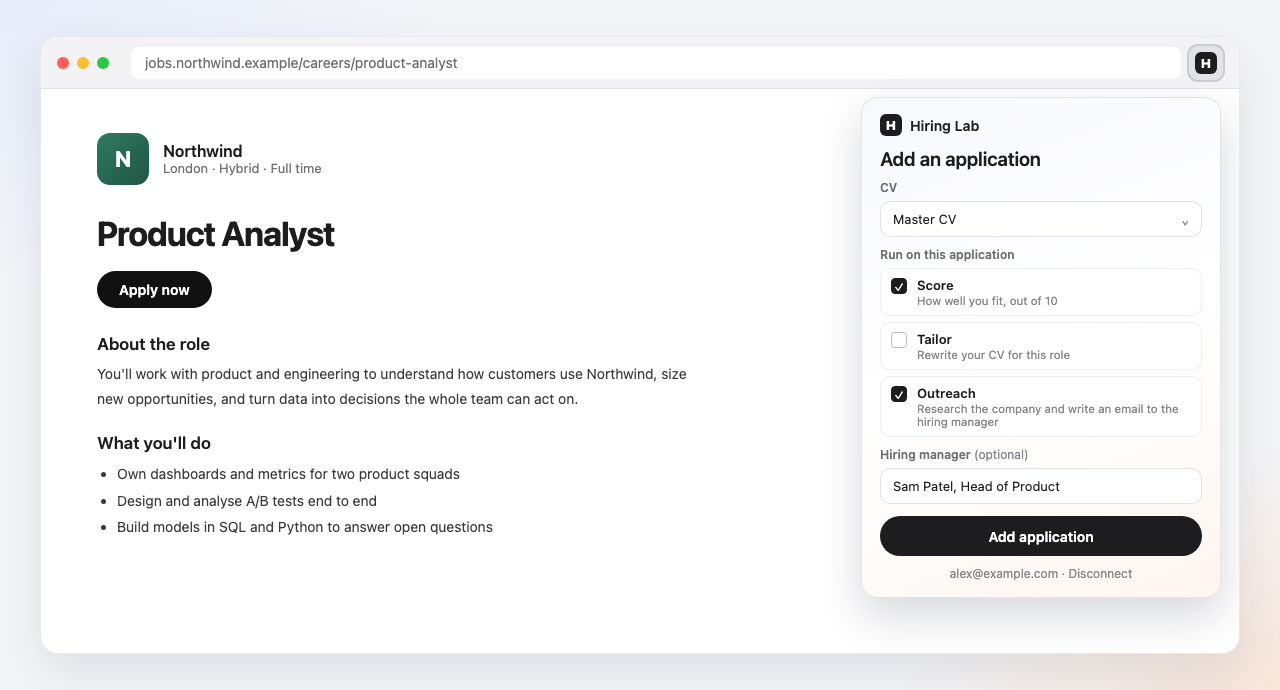
On any job board or careers page, click the Hiring Lab icon in your toolbar.
Pick what to run
Choose your CV, then tick Score, Outreach or both, and add the job.
Keep browsing
Your score and outreach run in the background and wait on the application.
Add an application
Any job posting, one click
Click the icon on a posting, pick a CV, and tick Score, Outreach or both. The job is saved as an application with its full description, and the tools you picked run against it.
- ›Score shows how well you fit, out of 10, on the application
- ›Works on job boards and company careers pages, even ones that block links
Outreach
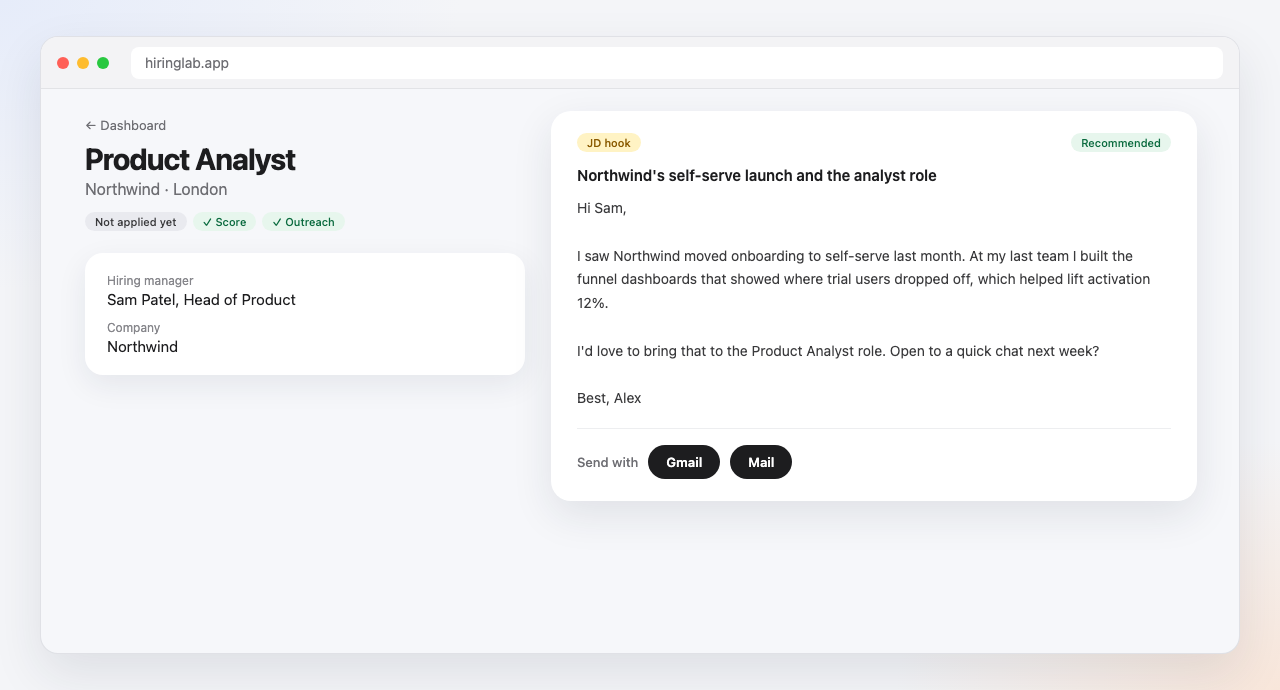
A researched email to the person hiring
Tick Outreach and Hiring Lab researches the company and the hiring manager, then writes a short email built on your real experience, while you keep browsing.
- ›Open it in Gmail or your mail app, ready to send
- ›A follow-up is ready if there is no reply in 5 days
Contacts
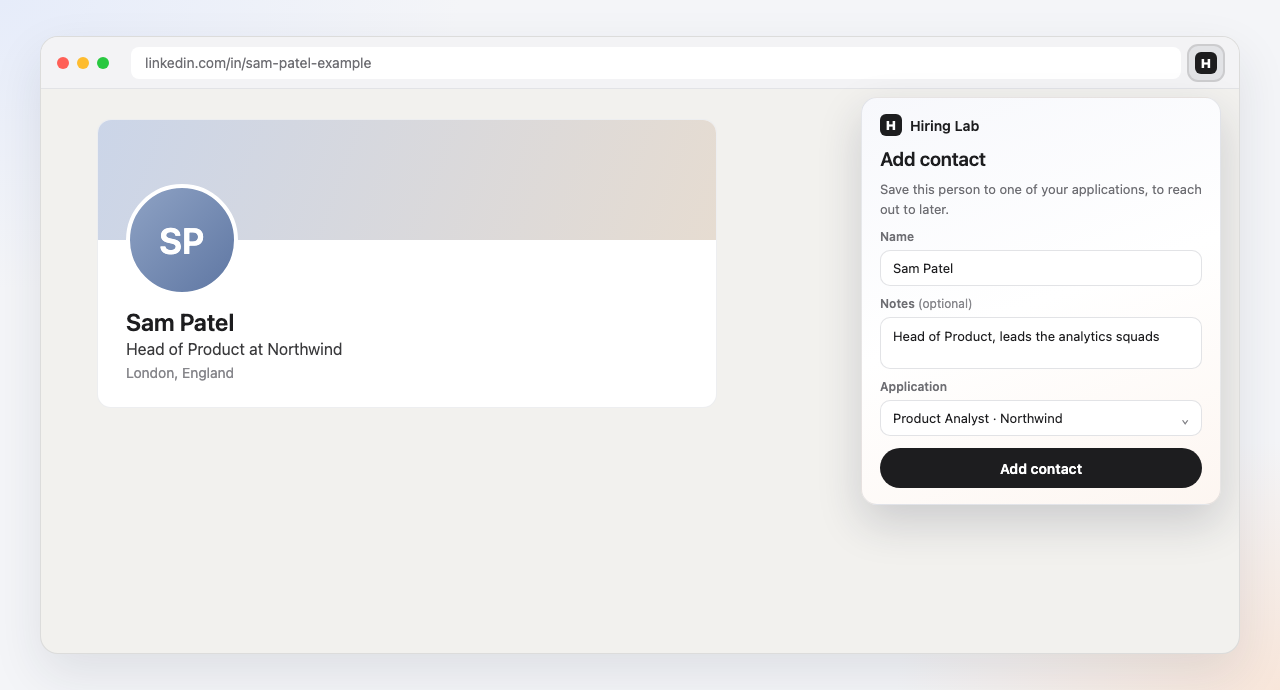
Save the people you want to reach
On someone's LinkedIn profile, click the icon to save them, with notes, to one of your applications. Their details are there when it's time to send.
- ›Matched to the right application by their company
- ›Add an email and notes as you go
Install it, then connect it to your Hiring Lab account.